Why Your Earbuds Keep Connecting to the Wrong Device Mid-Workout
Quick Answer: Multipoint lets earbuds hold active connections to two devices at once and switch audio to whichever plays first. That is why they hand over unexpectedly - a notification sound on a laptop or a watch counts as playing. The fixes are turning multipoint off when you train, disconnecting Bluetooth on the device you are not using, or using device-specific priority settings if your earbuds have them. Watches and phones on the same account are the most common conflict.
You start a run, music playing from your phone. Two minutes in, silence - your watch buzzed a notification and the earbuds politely handed themselves over. You stop, poke at three menus, and start again.

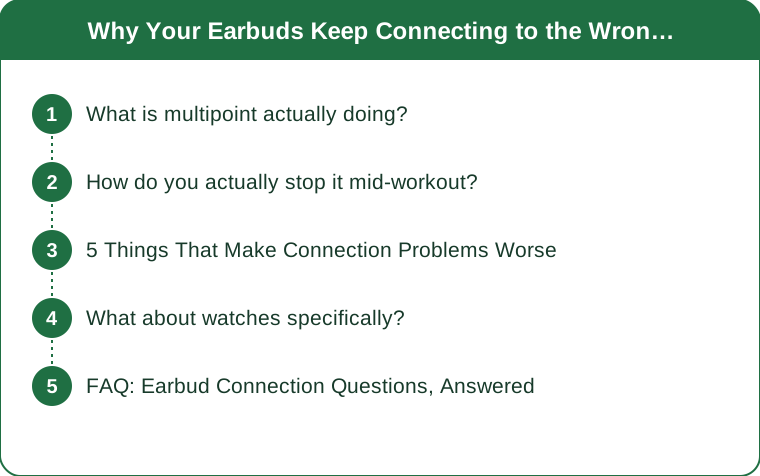
What is multipoint actually doing?
Holding two live connections and arbitrating between them, with rules you did not set.
Standard Bluetooth audio holds one connection at a time. To use earbuds with a different device, you disconnect from the first and connect to the second.
Multipoint keeps two devices connected simultaneously. Both are paired, both are live, and the earbuds route audio to whichever one sends it. In theory this is excellent - you can be on a laptop call and take a phone call without touching anything.
The arbitration is where it goes wrong. Most implementations use a simple rule: the most recent audio stream wins. That means a notification chime, a video autoplaying in a background browser tab, a calendar alert, or a watch buzzing with sound enabled all count as audio and can seize the connection.
And handover is not instantaneous. Switching between sources typically produces a gap of a second or two, and some implementations pause the original stream rather than resuming it. So a two-second alert can cost you a paused podcast and thirty seconds of fiddling.
A watch is the worst offender for workouts, because it is on your body, connected, and generating notifications continuously. If both your phone and your watch are paired to the same earbuds, every alert is a candidate for a handover.
Note also that not all earbuds implement it identically. Some allow priority ordering, some allow disabling per device, and some offer only a global on-off toggle. Behaviour varies substantially by manufacturer and firmware version.
How do you actually stop it mid-workout?
Four approaches, from most to least convenient.
1. Turn multipoint off before you train. Most earbuds with the feature expose a toggle in their companion app, sometimes called dual connection, multipoint, or connect to two devices. Turning it off for training and on for desk work is the cleanest solution and takes one tap. If you only do one thing, do this.
2. Turn Bluetooth off on the device you are not using. Blunt but completely effective. Disable Bluetooth on the laptop before a run, or switch the watch to a state where it does not route audio. The disadvantage is remembering to reverse it.
3. Use priority settings if you have them. Some manufacturers allow one device to be designated primary, so the other cannot seize the connection unless the primary is idle. Worth checking your companion app - this feature is underdocumented and quite common.
4. Silence the notifications rather than the connection. If the interruptions are all alerts rather than deliberate playback, silencing notification sounds on the secondary device solves it without touching Bluetooth at all. On a watch, setting notifications to haptic-only usually stops it grabbing the audio channel.
And a specific fix for the watch scenario: decide which device is your workout audio source and pair only that one. If music comes from the watch during runs, unpair the phone from the earbuds or turn its Bluetooth off. Trying to keep both live and hoping is what produces the problem in the first place.

5 Things That Make Connection Problems Worse
1. Pairing to too many devices over time. Earbuds store a limited number of pairings - often eight - and older entries get pushed out. A set that has been paired to a phone, an old phone, a laptop, a tablet, a watch, a TV, and a friend’s phone frequently behaves erratically. Clearing the pairing list and re-pairing only what you use resolves a surprising number of complaints.
2. Never updating firmware. Multipoint handling has been actively improved in firmware updates across most manufacturers, and many people have never opened the companion app since setup. Check for an update before assuming the hardware is at fault.
3. Carrying the phone in the wrong place. Bluetooth uses 2.4GHz, which is readily absorbed by water - and a body is mostly water. A phone in a back pocket or a rear armband with earbuds on the front of your head means the signal travels through you. Dropouts that occur only when the phone is behind you are a positioning problem, not a device fault.
4. Training in dense signal environments. Gyms are full of 2.4GHz traffic - wifi, dozens of phones, cardio equipment with wireless connectivity. Interference-related dropouts cluster in exactly those environments and are largely outside your control, though keeping the source device close and unobstructed helps.
5. Assuming the earbuds are broken. Intermittent connection issues are far more often configuration, pairing-list clutter, or firmware than hardware failure. Working through the free fixes takes ten minutes and resolves most cases.
What about watches specifically?
The most common conflict, and it deserves its own treatment.
Decide the audio source deliberately. There are two workable configurations and one that causes problems:
- Phone as source, watch for metrics only. The watch tracks the run and shows data; the phone plays audio. Set the watch’s notifications to haptic-only so it never requests the audio channel. This is the most reliable setup and the one most people should use.
- Watch as source, phone left at home. Music stored on or streamed from the watch, phone not present. Also very reliable, and the appeal of a running watch in the first place.
- Both connected and both actively used. This is the configuration that produces mid-run handovers, and it is the default that most people fall into without choosing it.
Storage and streaming on watches vary considerably. Some watches store offline music and some require a phone or a cellular connection for streaming. If your watch cannot play offline, the watch-as-source configuration is not available to you regardless of pairing.
Battery is a real consideration. Streaming audio over Bluetooth from a watch drains it substantially faster than tracking alone. For a long session, this is worth checking before you rely on it.
And the practical test: before a long run or a race, do a ten-minute session with your intended configuration and deliberately generate a notification. If the audio survives it, you are set. Finding out during a race is the expensive way to learn your configuration.
FAQ: Earbud Connection Questions, Answered
What is multipoint pairing?
A feature that lets earbuds maintain active connections to two devices simultaneously and route audio to whichever one plays. It is convenient at a desk and disruptive during workouts, because notification sounds count as audio and can seize the connection.
Why do my earbuds keep switching to my laptop?
Because multipoint is enabled and something on the laptop produced sound - a notification, a background video, a meeting alert. The earbuds are following the most-recent-audio rule. Turning multipoint off, or silencing laptop notifications, stops it.
Should I pair my earbuds to both my phone and my watch?
Only if you are deliberate about which one is the audio source. Having both live and both generating alerts is the most common cause of mid-workout handovers. Set the non-source device to haptic-only notifications, or do not pair it at all.
Why do my earbuds cut out when my phone is in my back pocket?
Bluetooth operates at 2.4GHz, which is absorbed by the water in your body. With the phone behind you and the earbuds in front, the signal has to travel through you. Moving the phone to a front pocket or an arm band usually resolves it entirely.
TL;DR:
- Multipoint routes audio to whichever device played most recently - and a notification counts.
- Turn it off before training, or silence notification sounds on the secondary device.
- A watch and a phone both paired and both alerting is the most common conflict.
- Clear a cluttered pairing list and check firmware before blaming the hardware.
- A phone in a back pocket puts your body between the transmitter and the earbuds.
The feature is genuinely useful at a desk. It just has no idea that you are twenty minutes into a run and would rather it minded its own business.
Keep Reading
This article is for general informational and styling purposes only. Fit, sizing, and product availability may vary.